
CRM, booking system & app developers in Durban
CRM & Web App Development in Durban, KZN
Custom CRMs, booking systems and business web apps, designed and built in Durban around the way your business already works.
Stop running the business from a diary, three spreadsheets and a WhatsApp group. We build web apps that keep your bookings, clients, stock, quotes and readings in one place, on your phone, tablet or computer. Have a look at five of the systems we build below.
- Designed & built in Durban
- Works on phone, tablet & desktop
- Rent it or own it
Stock Manager CRM demo
CRM & booking system demos
Five Systems We Build
Pick a system to see a demo of every main menu, from the dashboard to the reports, plus the phone view. All the names, figures and bookings in these screenshots are made-up demo data.
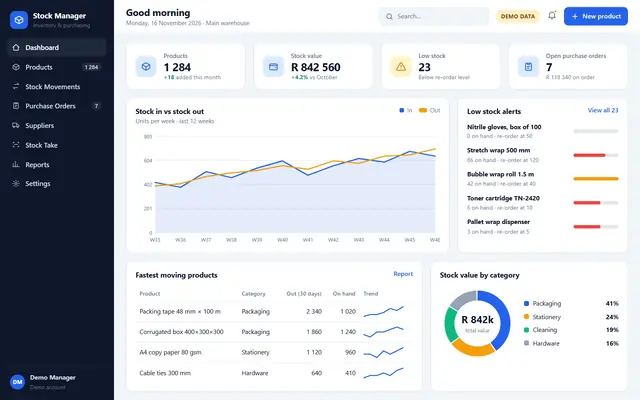
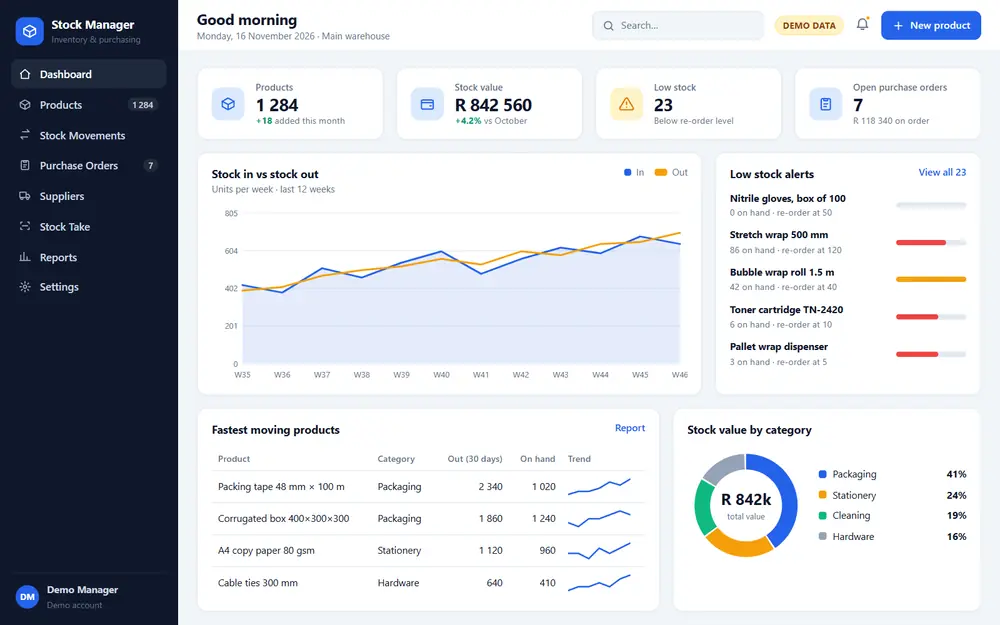 Dashboard: Stock value, low-stock alerts and stock in vs out at a glance.
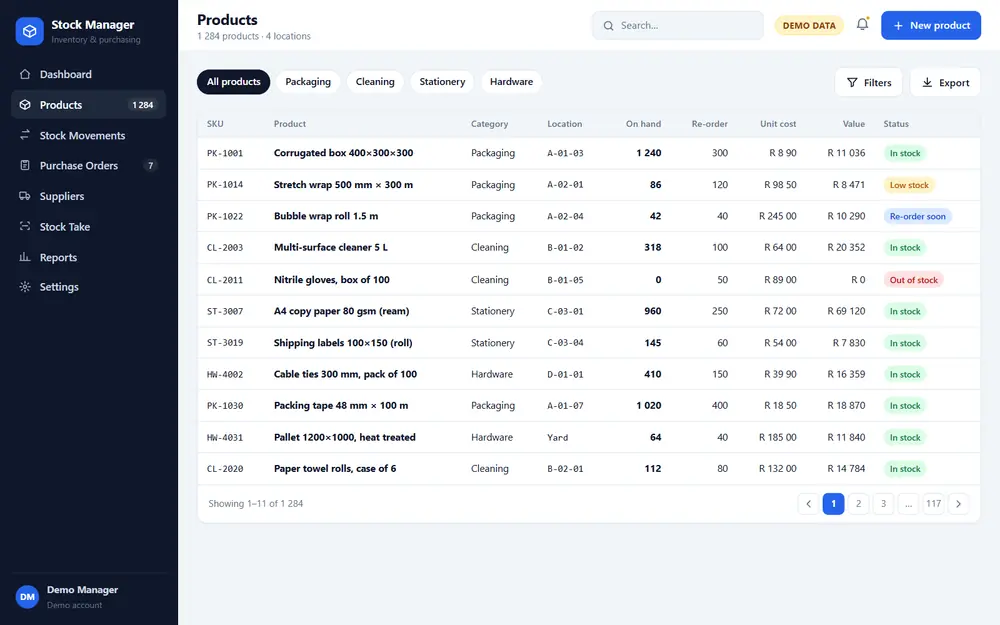 Products: Every product with its location, stock on hand, re-order level and value.
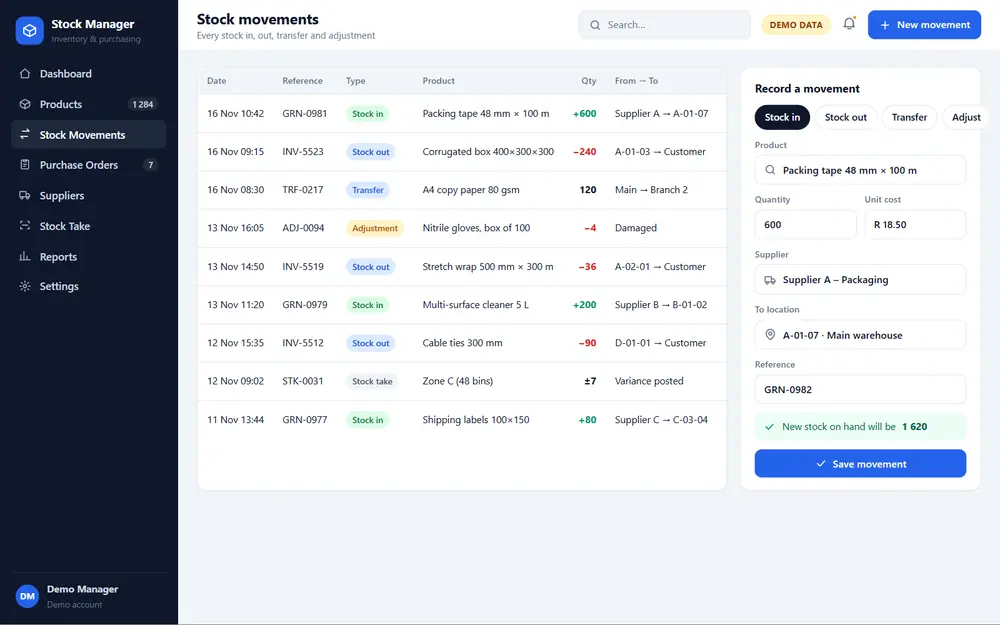 Stock Movements: Stock in, out, transfers and adjustments, each one logged.
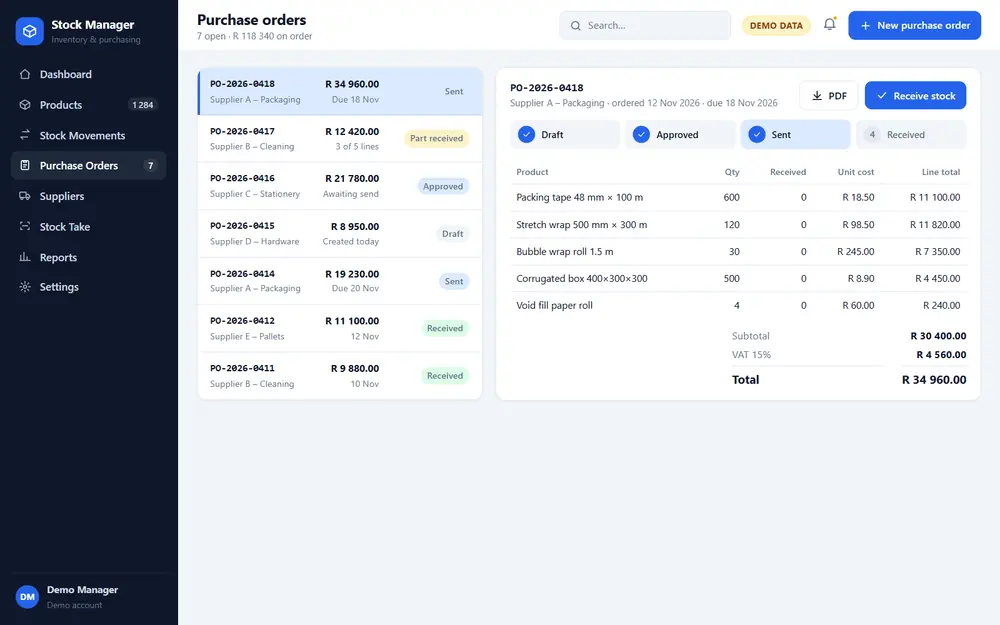 Purchase Orders: Purchase orders from draft to received, with VAT totals.
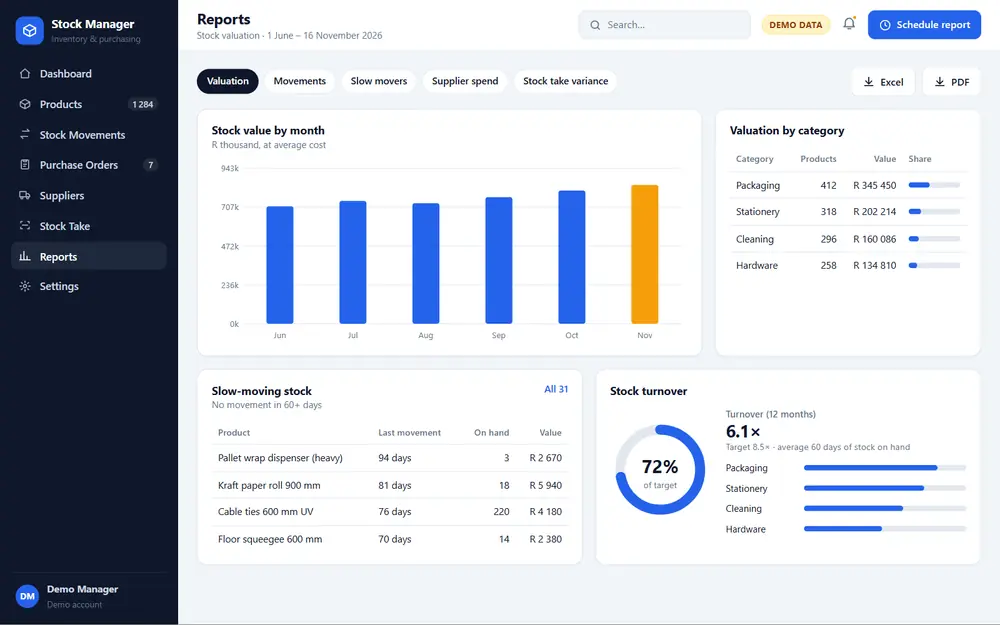 Reports: Stock valuation, category breakdowns and slow-moving stock.
Stock value, low-stock alerts and stock in vs out at a glance.
Stock control system
Stock Manager CRM
A stock control system that knows what you have, where it is and when to re-order. Built for warehouses, distributors, workshops and shops that have outgrown spreadsheets.
What it can do
- Live stock levels per product, location and bin
- Low-stock alerts and re-order levels
- Stock in, stock out, transfers and adjustments with a full audit trail
- Purchase orders and supplier lists, with partial deliveries
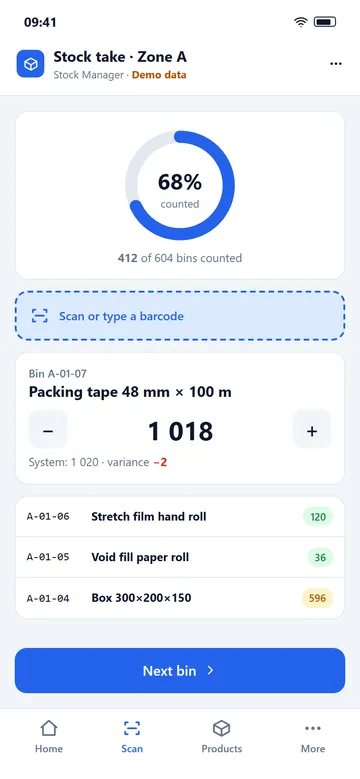
- Stock takes on a phone or tablet, with variance reports
- Stock valuation and slow-moving stock reports, exported to Excel or PDF
Ideal forDistributorsWarehousesRetailWorkshopsManufacturers
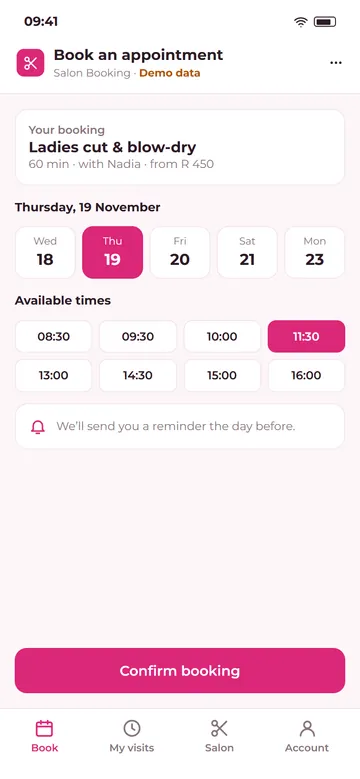
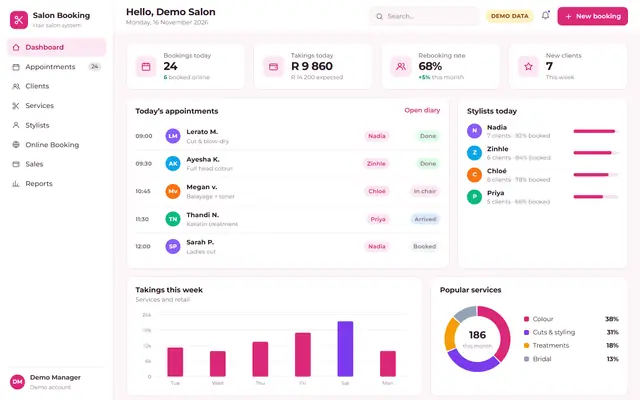
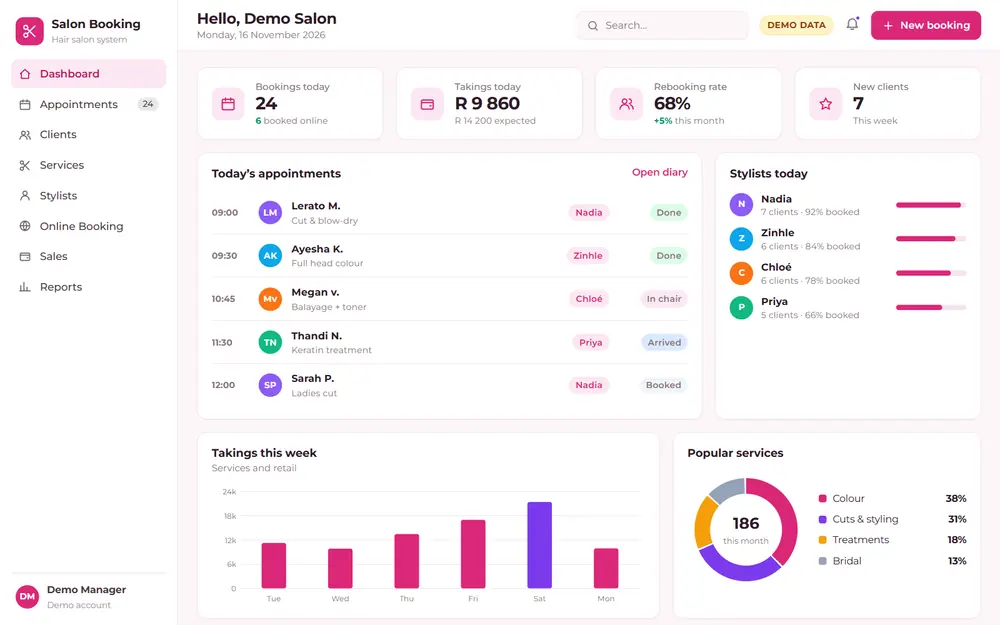 Dashboard: Today’s bookings, takings and the next client in the chair.
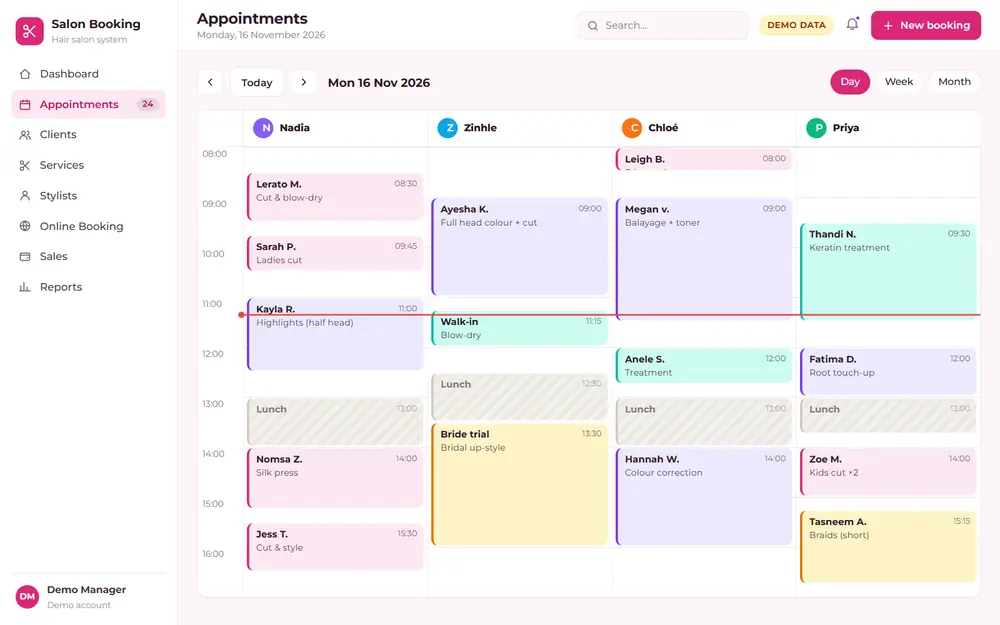 Appointments: The salon diary: every stylist’s day side by side.
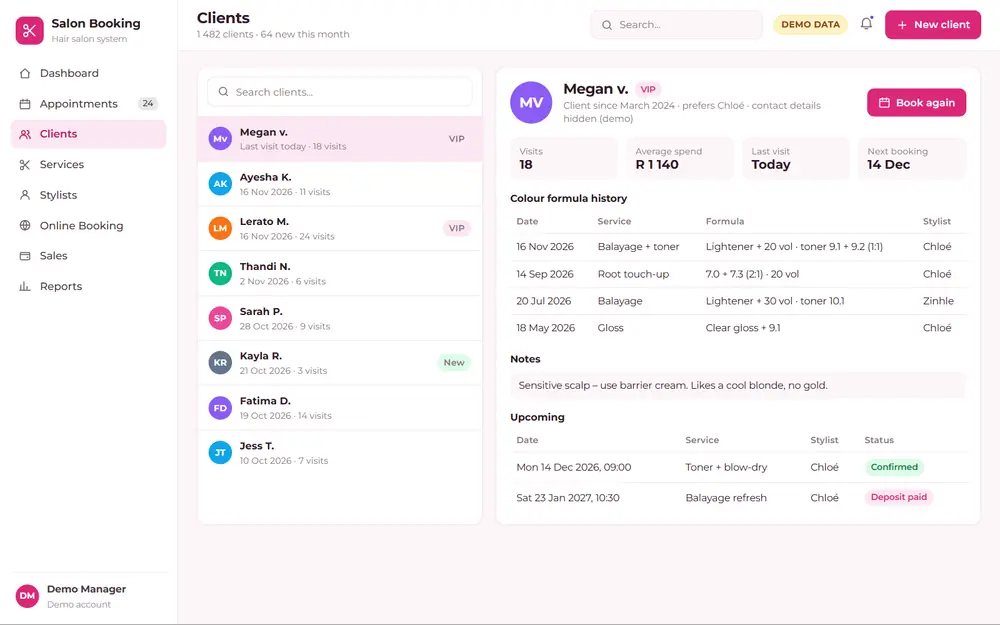 Clients: Client cards with visit history and colour formulas.
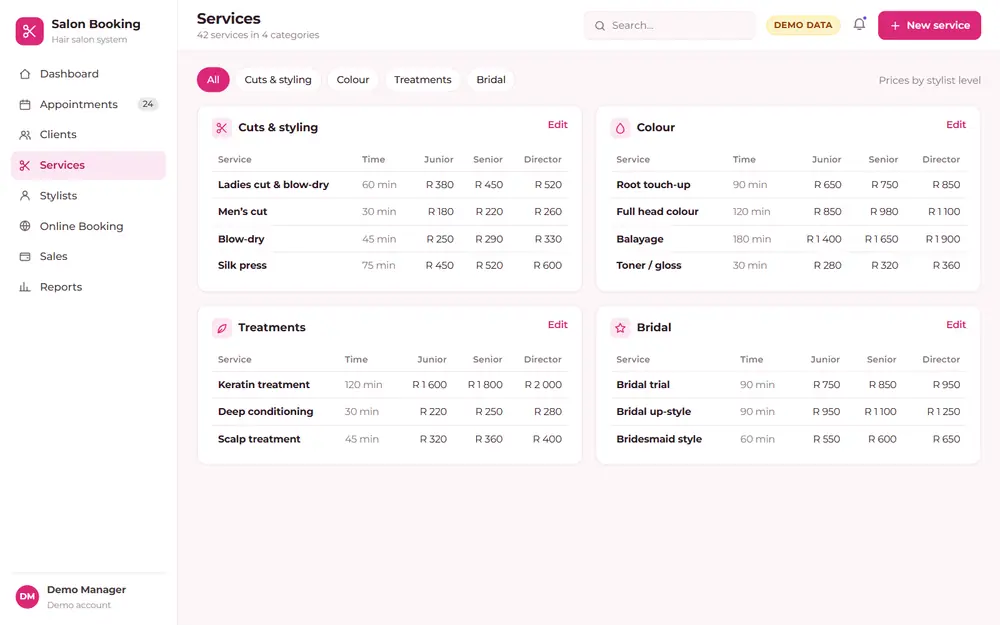 Services: The service menu, with durations and prices per stylist level.
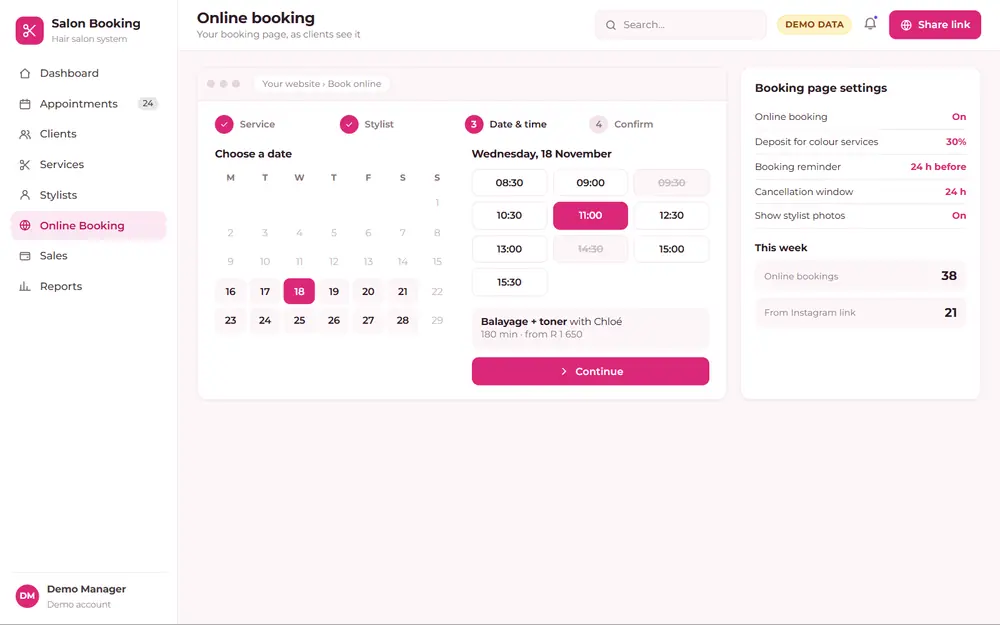 Online Booking: The booking page your clients use: service, stylist, time.
Today’s bookings, takings and the next client in the chair.
Hair salon booking system
Hair Salon Booking System
An online booking system and salon CRM in one. Clients book themselves, stylists see their day, and you see bookings, colour history and takings without paging through a diary.
What it can do
- Online booking page: service, stylist, date and time
- Day and week diary per stylist, with drag-and-drop bookings
- Client cards with visit history, colour formulas and notes
- Service menu with durations and prices
- Booking reminders by email or WhatsApp link
- Stylist takings, commission and rebooking rates
Ideal forHair salonsBarbersNail barsBeauty studios
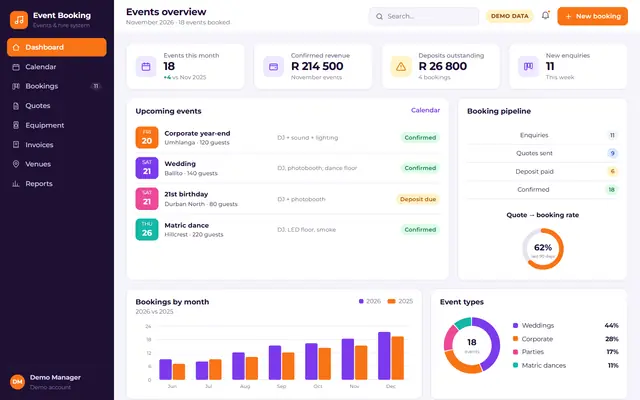
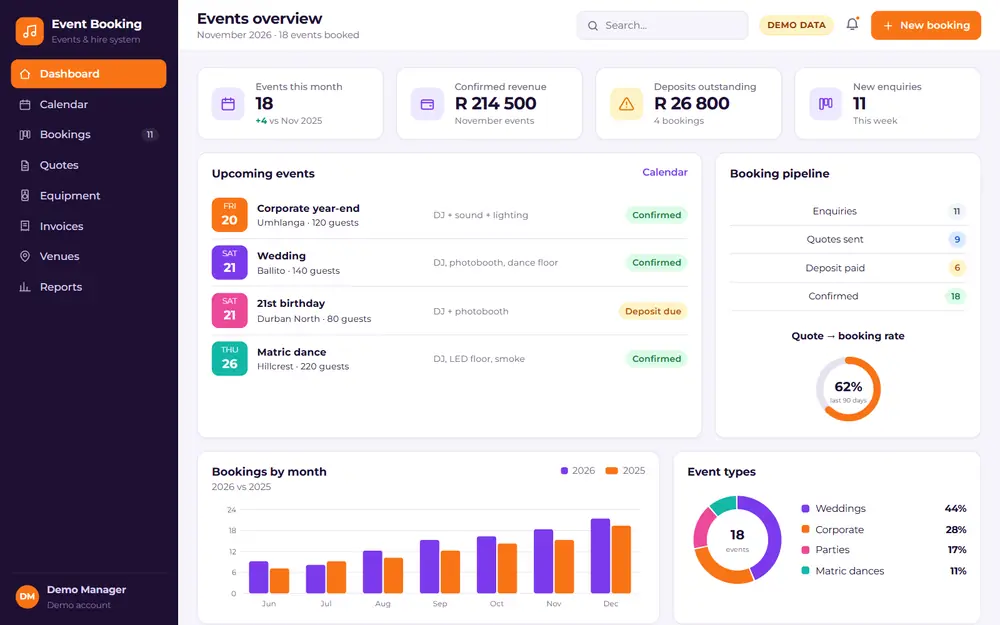 Dashboard: Upcoming events, deposits due and the month’s bookings.
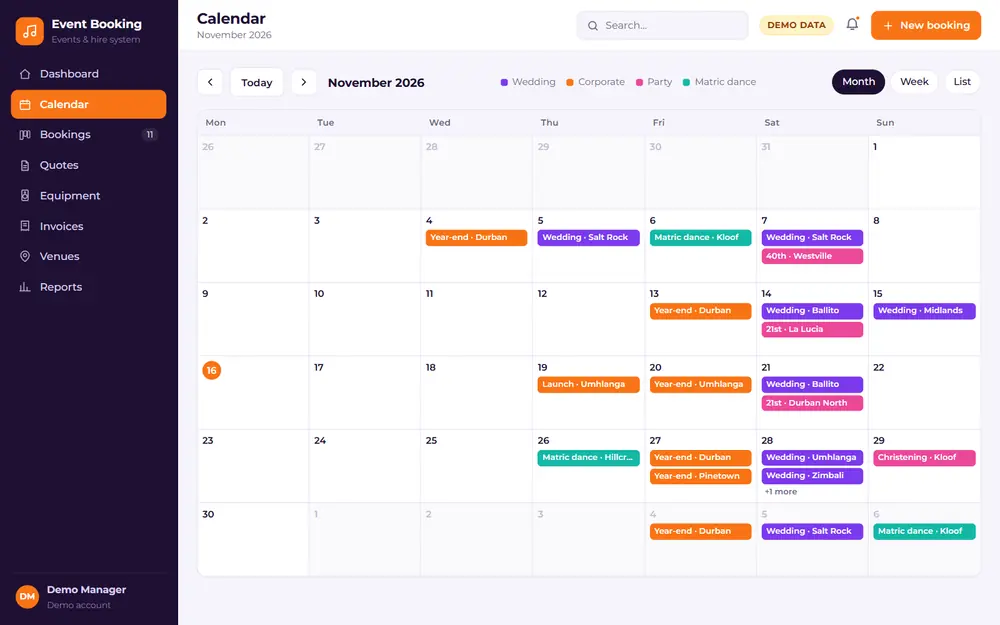 Calendar: The events calendar, colour-coded by event type.
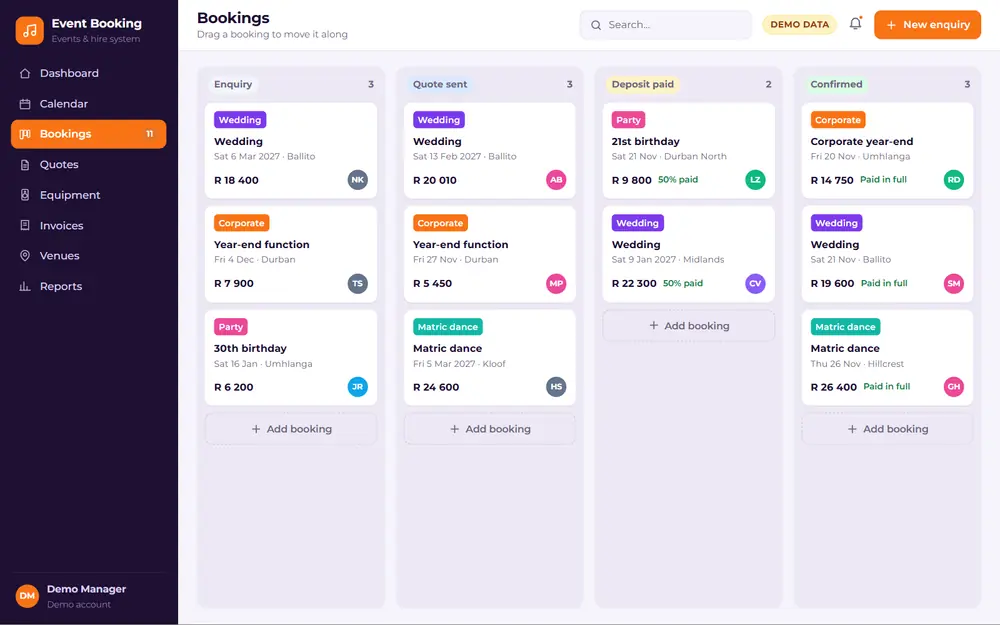 Bookings: Every booking from enquiry to confirmed, on one board.
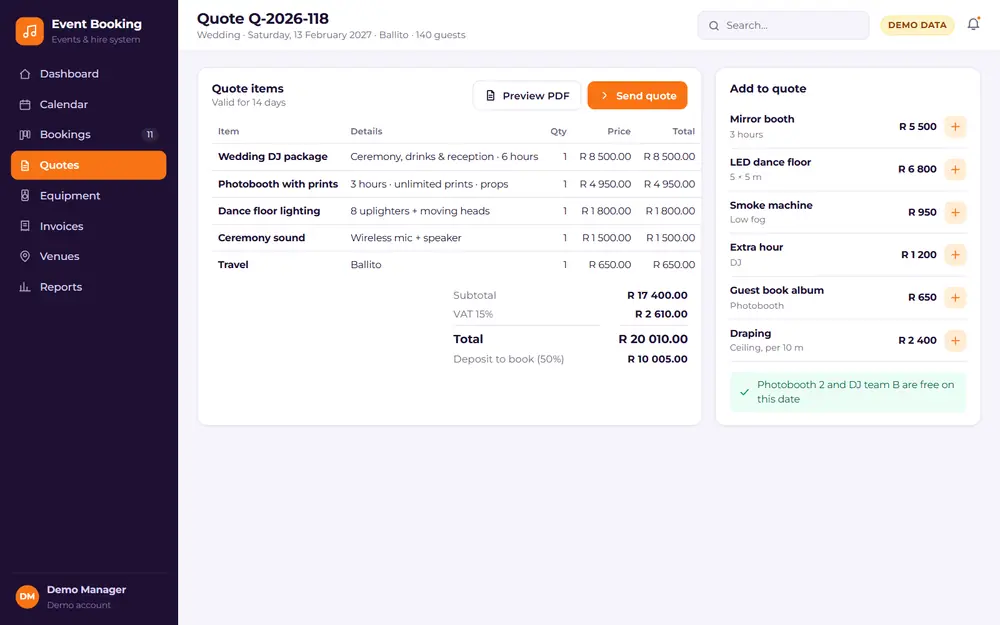 Quotes: Build a quote from packages and add-ons, VAT included.
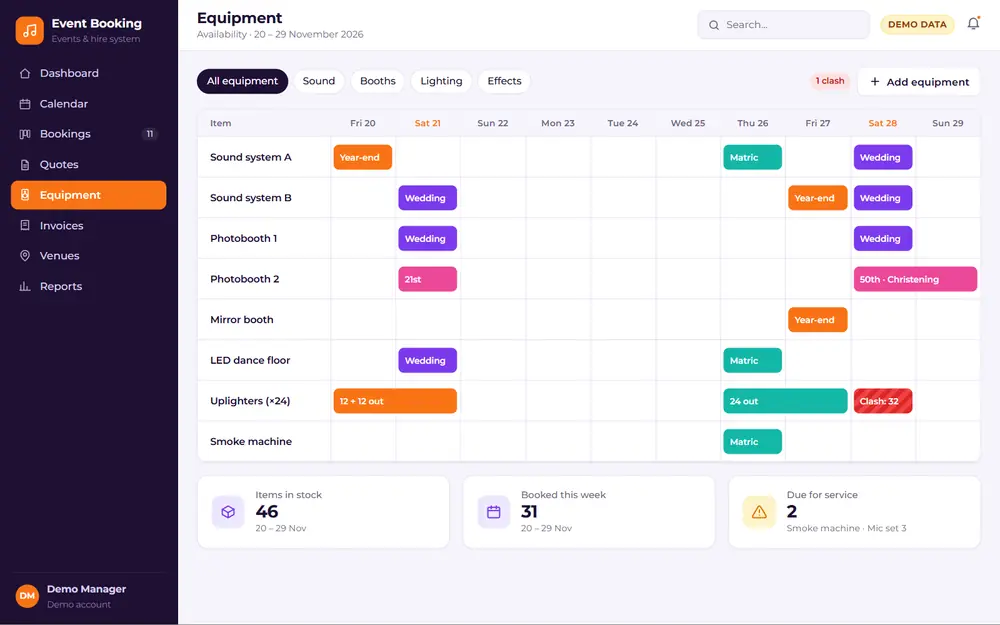 Equipment: Equipment availability by date, so nothing is double-booked.
Upcoming events, deposits due and the month’s bookings.
Event booking system
Event Booking System
From the first enquiry to the final invoice. A booking system for DJs, photobooths, décor and equipment hire, venues and event planners, with quotes, deposits and equipment availability in one place.
What it can do
- Events calendar with every booking, venue and crew member
- Enquiry → quote → deposit → confirmed pipeline
- Quote builder with packages, add-ons and VAT
- Equipment availability, so nothing is double-booked
- Deposits, balances and invoices tracked per event
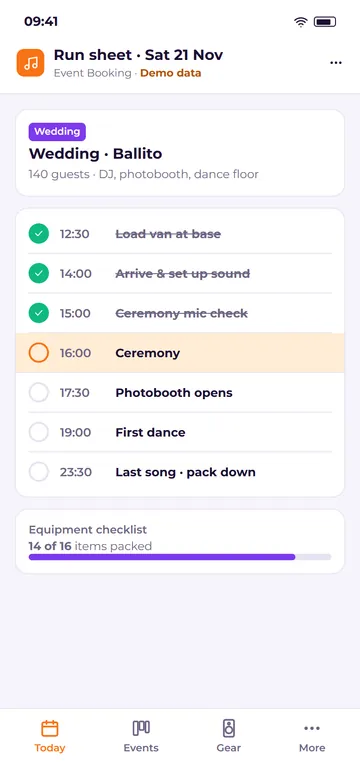
- Run sheets and checklists for the event day
Ideal forDJs & entertainmentPhotoboothsDécor & hireVenuesEvent planners
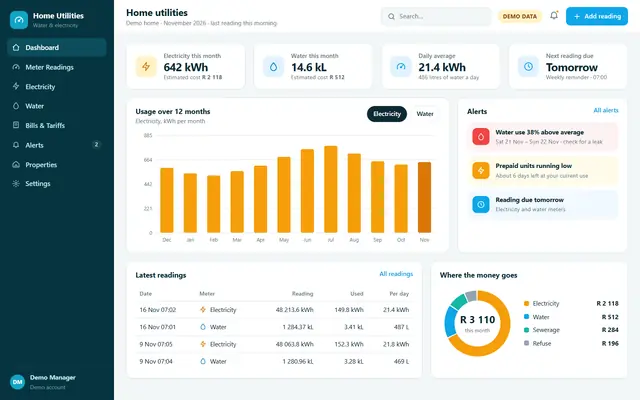
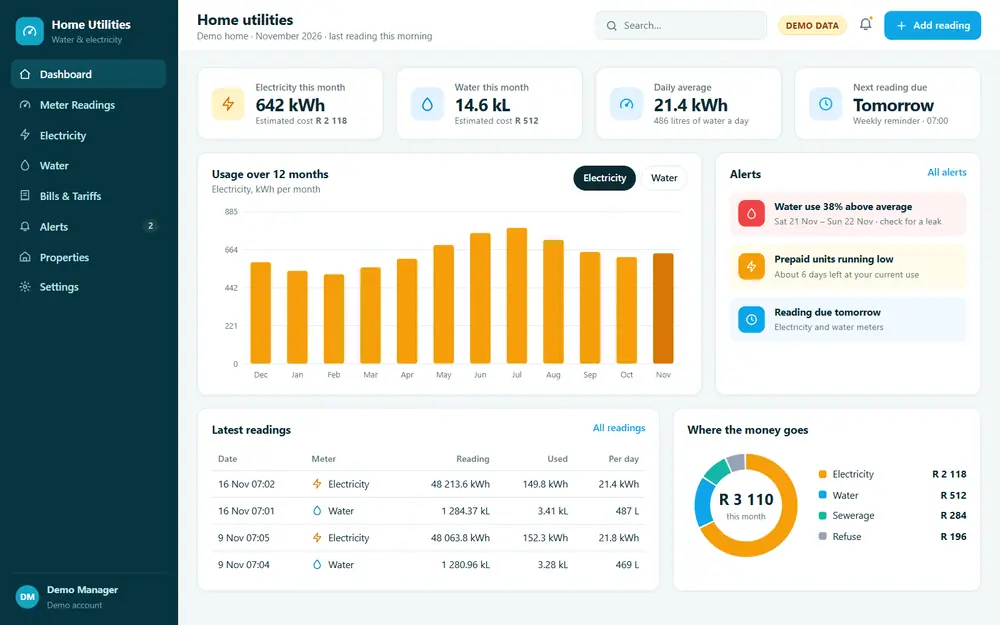 Dashboard: This month’s water and electricity use and estimated cost.
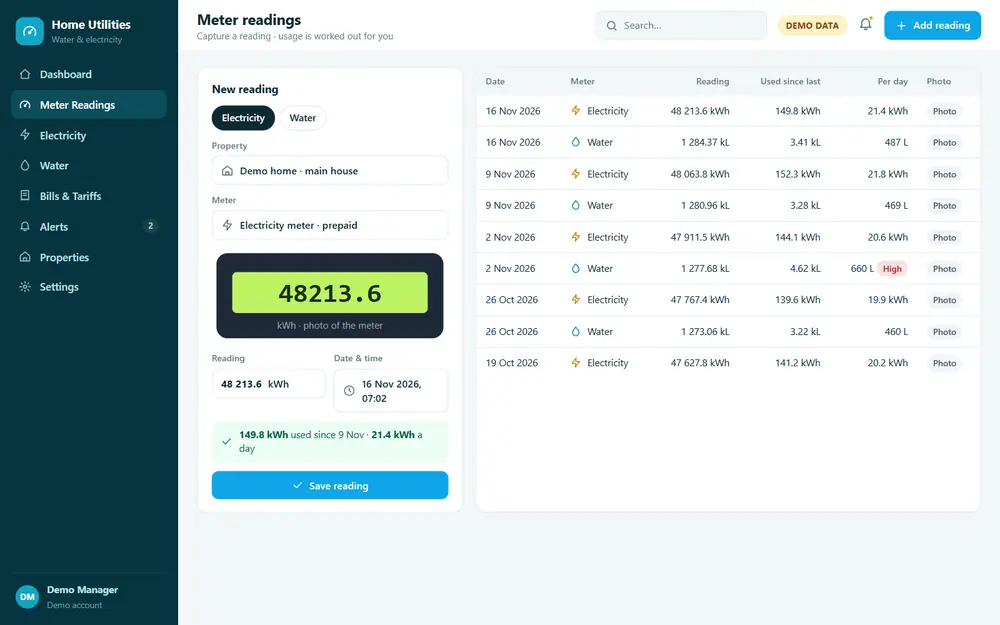 Meter Readings: Capture a reading with a photo; usage is worked out for you.
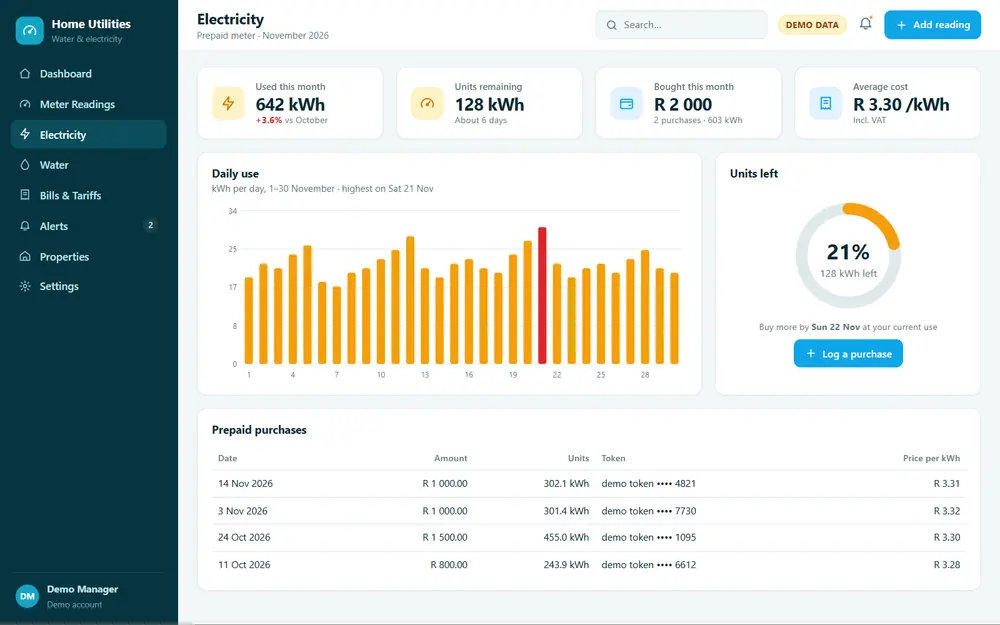 Electricity: Daily kWh, prepaid purchases and units remaining.
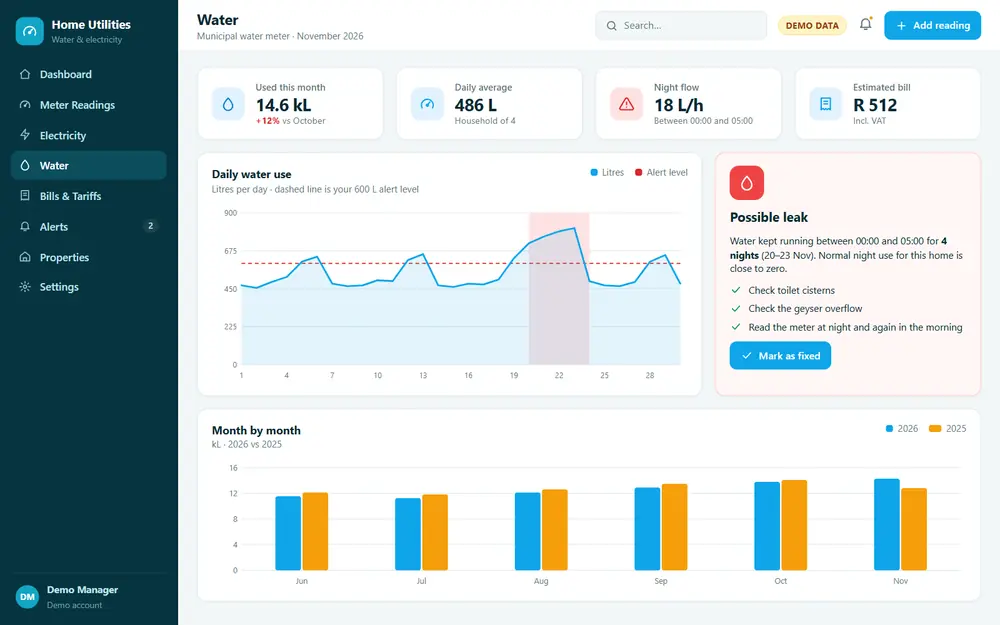 Water: Daily water use in litres, with a leak alert.
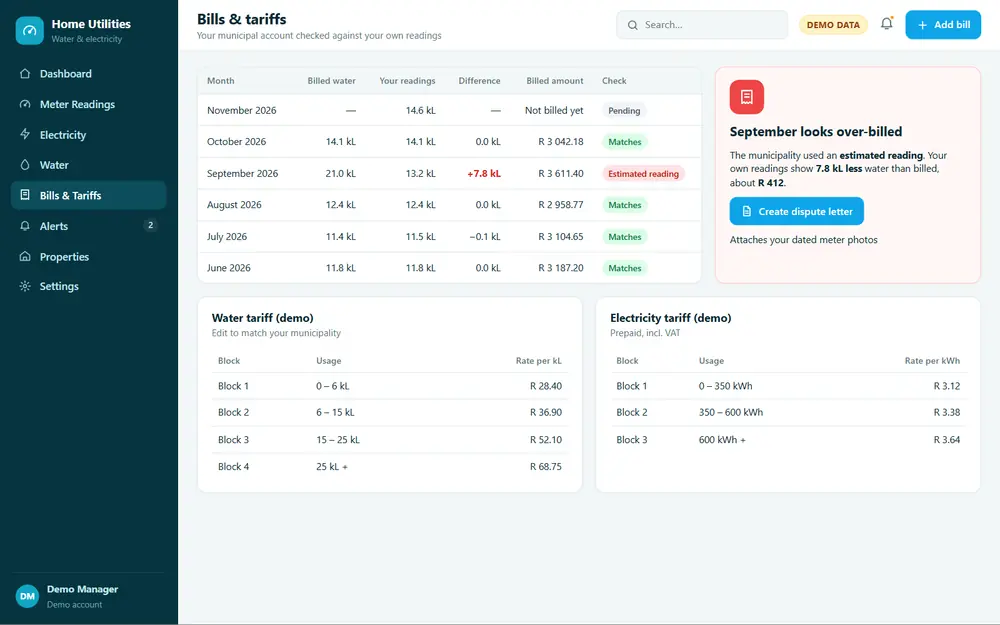 Bills & Tariffs: The municipal bill checked against your own readings.
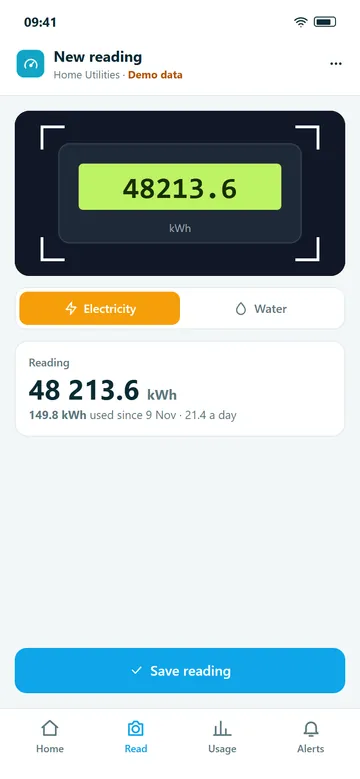
This month’s water and electricity use and estimated cost.
Water & electricity tracker
Home Utilities Manager
Keep track of your water and electricity meter readings, spot a leak or a spike before the bill arrives, and check the municipal account against what you actually used.
What it can do
- Capture water and electricity meter readings, with a photo of the meter
- Daily and monthly usage worked out from your readings
- Usage charts by day, month and year
- Leak and high-usage alerts
- Prepaid electricity purchases and units tracked
- Check the municipal bill against your own readings
Ideal forHomeownersLandlordsBody corporatesProperty managers
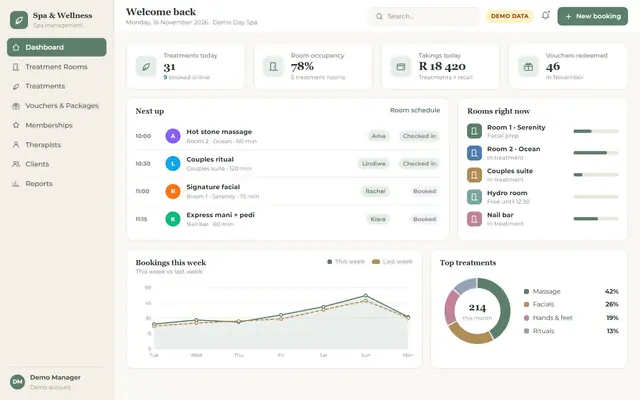
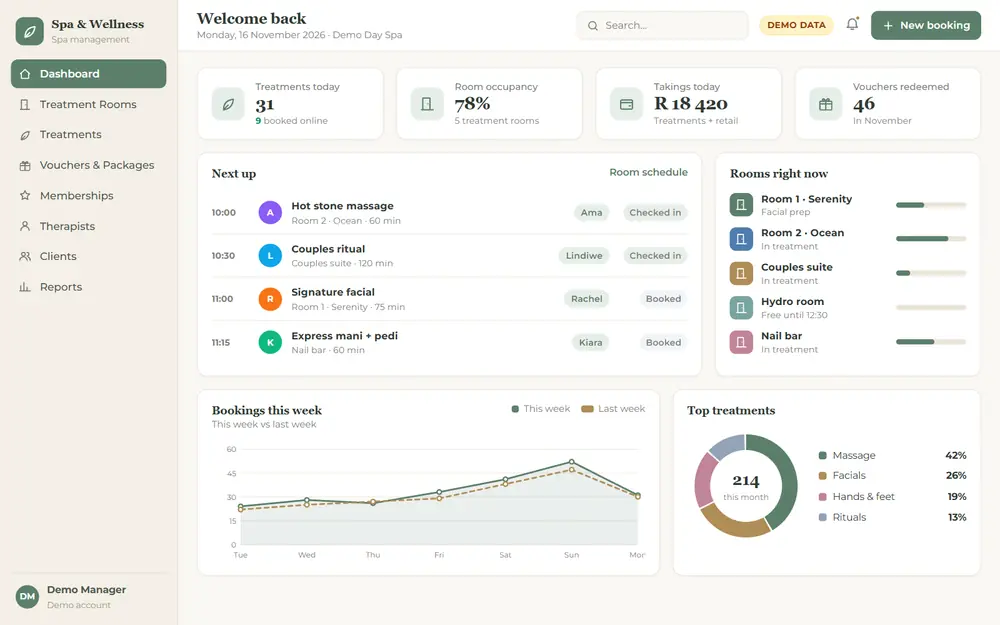 Dashboard: Today’s treatments, room occupancy and takings.
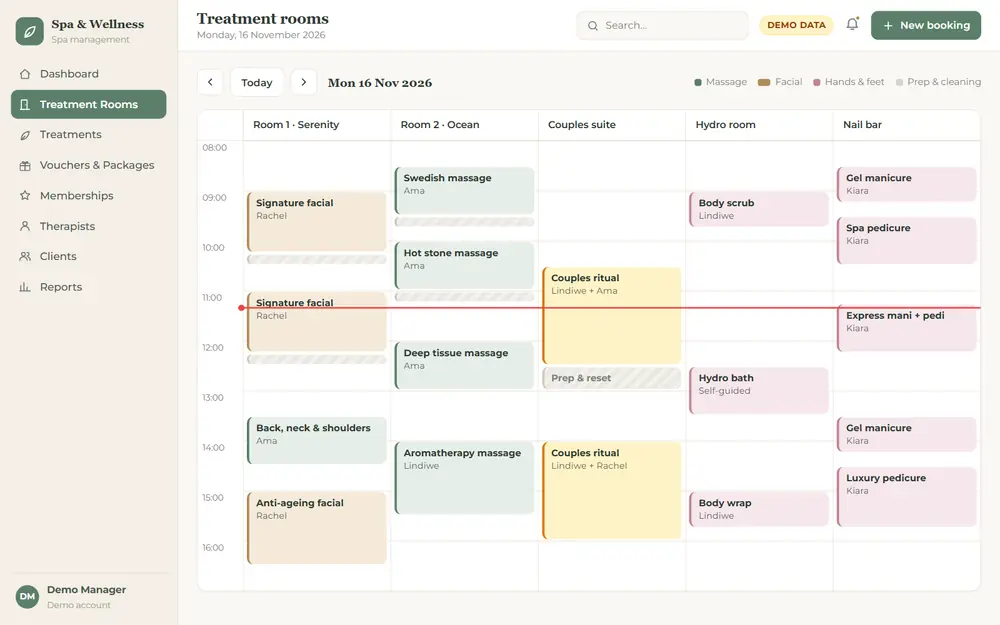 Treatment Rooms: Every treatment room’s day, with therapist and prep time.
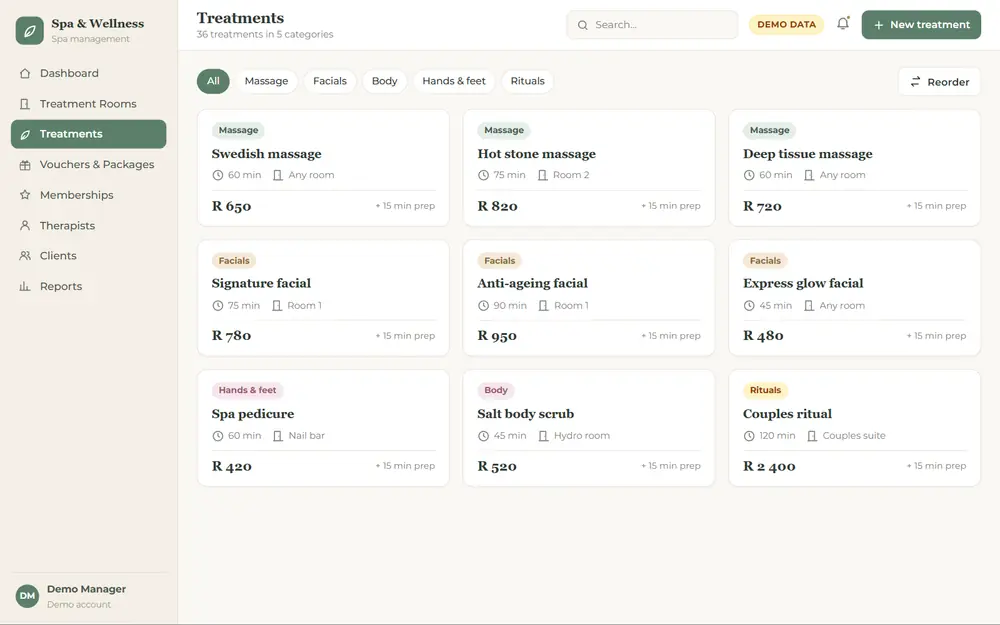 Treatments: The treatment menu with durations and prices.
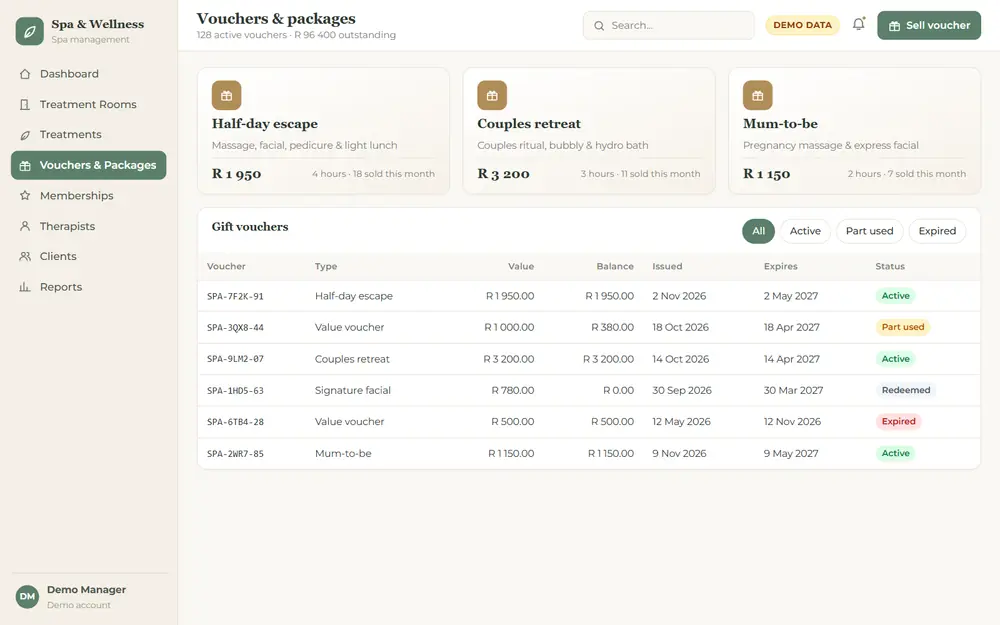 Vouchers & Packages: Gift vouchers, spa packages and what has been redeemed.
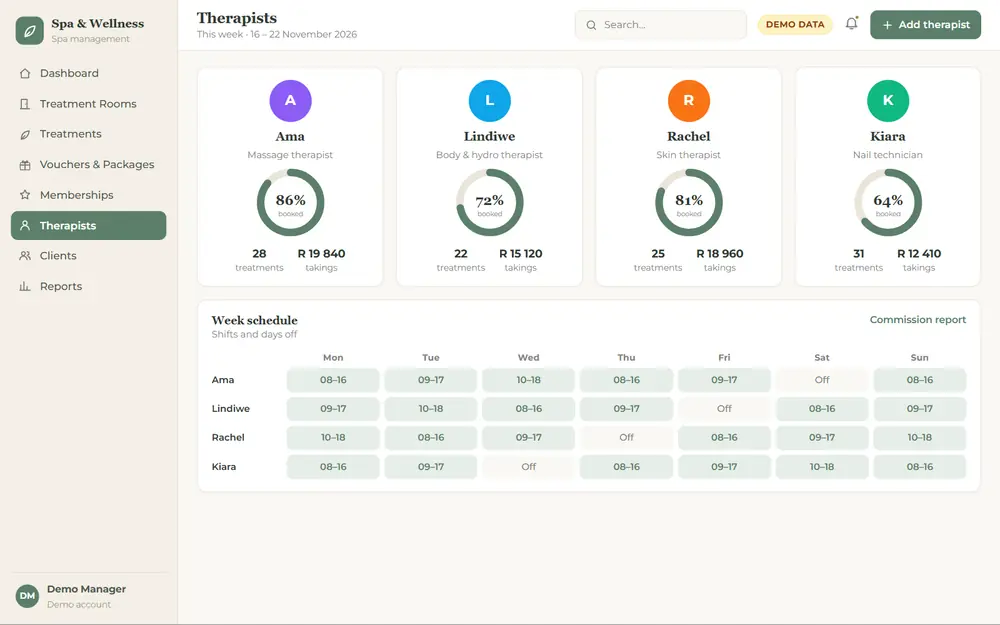 Therapists: Therapist schedules, utilisation and commission.
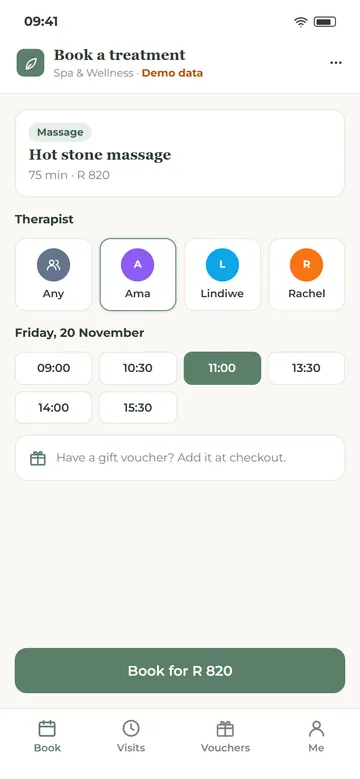
Today’s treatments, room occupancy and takings.
Spa & wellness system
Spa & Wellness Manager
A calm, simple system for day spas, wellness centres and therapy practices: treatment rooms, therapists, packages, vouchers and memberships, all booked and tracked in one place.
What it can do
- Treatment room and therapist scheduling, without clashes
- Treatment menu with durations, prep time and prices
- Spa packages, gift vouchers and voucher redemption
- Memberships with monthly treatments included
- Client wellness forms and treatment notes
- Therapist utilisation and commission reports
Ideal forDay spasWellness centresMassage therapistsBeauty & skin clinics
Built into every system
What Your CRM Can Include
Every system is built for one business, so you only pay for what you use. These are the building blocks most of our clients ask for.
Logins & user roles
Each staff member has their own login, and sees only what their role allows.
Phone, tablet & desktop
A web app that runs in the browser, with nothing to install on each device.
Online bookings
A booking page on your website that fills the same diary your team works from.
Email & WhatsApp reminders
Booking confirmations and reminders by email, or a ready-to-send WhatsApp message.
Quotes & invoices
Quotes, invoices and statements as PDFs, with VAT and deposits worked out.
Dashboards & reports
The figures you check every day on one screen, and reports you can export to Excel or PDF.
Alerts
Low stock, a deposit that is due, a leak, a missed reading: the system tells you first.
Audit trail
Every change is logged with who made it and when, so nothing goes missing quietly.
How we work
How We Build Your CRM
No off-the-shelf package to bend your business around. We start from how you work today and build the system from there.
- 1
Tell us how you work
Walk us through your day: how bookings, orders or readings come in, who handles them and what you track in spreadsheets now.
- 2
We plan the screens
We map out the menus and screens, like the demos on this page, and quote you for the build.
- 3
Build & test
We build your system and you test it with your own team before anything goes live.
- 4
Launch & grow
We set up your users, bring in your existing lists where possible, and add features as your business grows.
Rental CRM development
Rent Your CRM, or Own It Outright
Just like our website rentals, you can rent your system for a monthly fee instead of paying for the whole build up front.
Rental CRM
Rent your system
- A monthly fee instead of a large once-off build cost
- 12-month minimum term, paid monthly, then month to month
- Hosting, backups, security updates and bug fixes included
- Your data stays yours, and you can buy the system outright
- Quoted for your system, once we know what it needs to do
Custom build
Own your system
- A once-off design and build, quoted for your project
- Host it with us, or with another provider
- Changes and new features quoted as you need them
- Built on the same foundations as the demos on this page
Custom web apps
Other Systems We Can Build
If your business runs on a diary, a spreadsheet or a stack of paper forms, it can probably run on a web app. A few more ideas:
Rental property CRM
Tenants, leases, rent due, deposits and maintenance requests.
Equipment hire
Hire-outs, returns, deposits and what is out on which date.
Job cards & quotes
For trades and workshops: quote, job card, sign-off, invoice.
Client portals
Let clients log in to see their bookings, documents and statements.
Practice & clinic bookings
Appointments by practitioner and room, with session notes.
Memberships & classes
Gyms, studios and clubs: members, class bookings and renewals.
Staff & timesheets
Shifts, leave, timesheets and who is on duty today.
Sales pipeline
Leads, follow-ups and deals, from first call to signed order.
Questions
CRM & Web App Questions
What is a CRM?
CRM stands for customer relationship management. In practice it is the system where a business keeps its clients, bookings, quotes, sales and notes, so everyone on the team works from the same, up-to-date information instead of separate diaries and spreadsheets.
What is the difference between a CRM and a web app?
A web app is any program that runs in a web browser. A CRM is one kind of web app. The systems on this page are all web apps: a booking system, a stock manager and a utilities tracker are built the same way, they just track different things.
Can you build a system for my type of business?
Most likely. The five demos on this page are examples. If you can describe how work comes in, who handles it and what you need to keep track of, we can plan a system around it. Tell us about your business and we’ll talk it through.
How much does a custom CRM cost?
It depends on how many menus and features your system needs. We quote every system once we understand what it has to do. You can pay for the build once-off, or rent your CRM for a monthly fee.
What is rental CRM development?
Instead of paying for the whole build up front, you rent your system from us for a monthly fee, the same way our website rentals work. A CRM rental runs for a minimum of 12 months, paid monthly, and then carries on month to month. We host it, back it up and fix any bugs, and you can add menus as your business grows. The full terms are in our CRM & Web App Rental Terms.
Who owns a rented CRM and my data?
Your data is always yours: when a rental ends you can ask for a complete export of it. The system and its code belong to Squirrel Media until you buy it outright. If you buy it out, ownership of your system’s code passes to you in a signed written assignment, and Squirrel Media remains its author.
Will it work on my phone?
Yes. Our systems are web apps that run in the browser, so they work on a phone, tablet or computer, and each screen is laid out for the size of the device. The phone views on this page show how they look.
Can my clients book online?
Yes. A booking system can include a booking page on your website where clients choose a service, a staff member and a time. Their booking lands in the same diary your team uses, like the Online Booking screen in the salon demo.
Can I get my information out of the system?
Yes. Lists and reports can be exported to Excel or PDF, and we build in the exports you need, such as a client list, a stock valuation or a month of bookings.
Is the demo data real?
No. Every name, figure and booking in the screenshots on this page is made up for the demo. We never show our clients’ data.
CRM & web apps
Ready to get organised?
Tell us what your business needs to keep track of, and our Durban team will get back to you to talk it through.
Start your CRM projectWebsite design
Need a website first?
We design and build professional HTML and WordPress websites, or you can rent a website from R399 per month with hosting included.
Website rental packages